What to Do After Launching a Solana Token: 5 Steps (2026)
Minted your Solana token, now what? 5 post-launch steps: seed real liquidity, put supply in the pool, lock the LP, run a rug check, survive hour one.
Minting a Token Is Not Launching a Token
We see the same pattern over and over on our own launchpad. A creator finishes the launch flow, the mint confirms, authorities get revoked, everything on-chain is clean. Then the token just sits there. No pool, or a pool seeded with pocket change, while 90%+ of the supply stays parked in the creator's wallet.
That token is minted. It is not launched. Nobody can buy it, and anyone who checks it with a scanner sees a giant red flag where the holder distribution should be.
The launch flow gets you a token. What happens in the next hour decides whether it becomes a market. This guide is the checklist for that hour, in order:
- Create the pool and seed it with real liquidity
- Put your supply IN the pool, not in your wallet
- Lock the LP permanently
- Run a rug check on your own token
- Manage the first hour of trading
Each step links to a deeper guide if you want the full math. This post is the map.
Step 1: Create the Pool With Real Liquidity
Until a liquidity pool exists, your token has no price, no chart, and no buy button. Wallets can hold it, explorers can show it, but nobody can trade it.
Creating the pool is mechanically easy. Meteora and Raydium both have a create-pool flow, and SolFoundry opens one for you right from the launch success screen. The part people get wrong is the sizing.
Too little SOL is the most common way new tokens die. A pool seeded with 0.5 SOL has so little depth that a $50 buy moves the price double digits. The chart looks like manipulation from minute one, and experienced buyers close the tab.
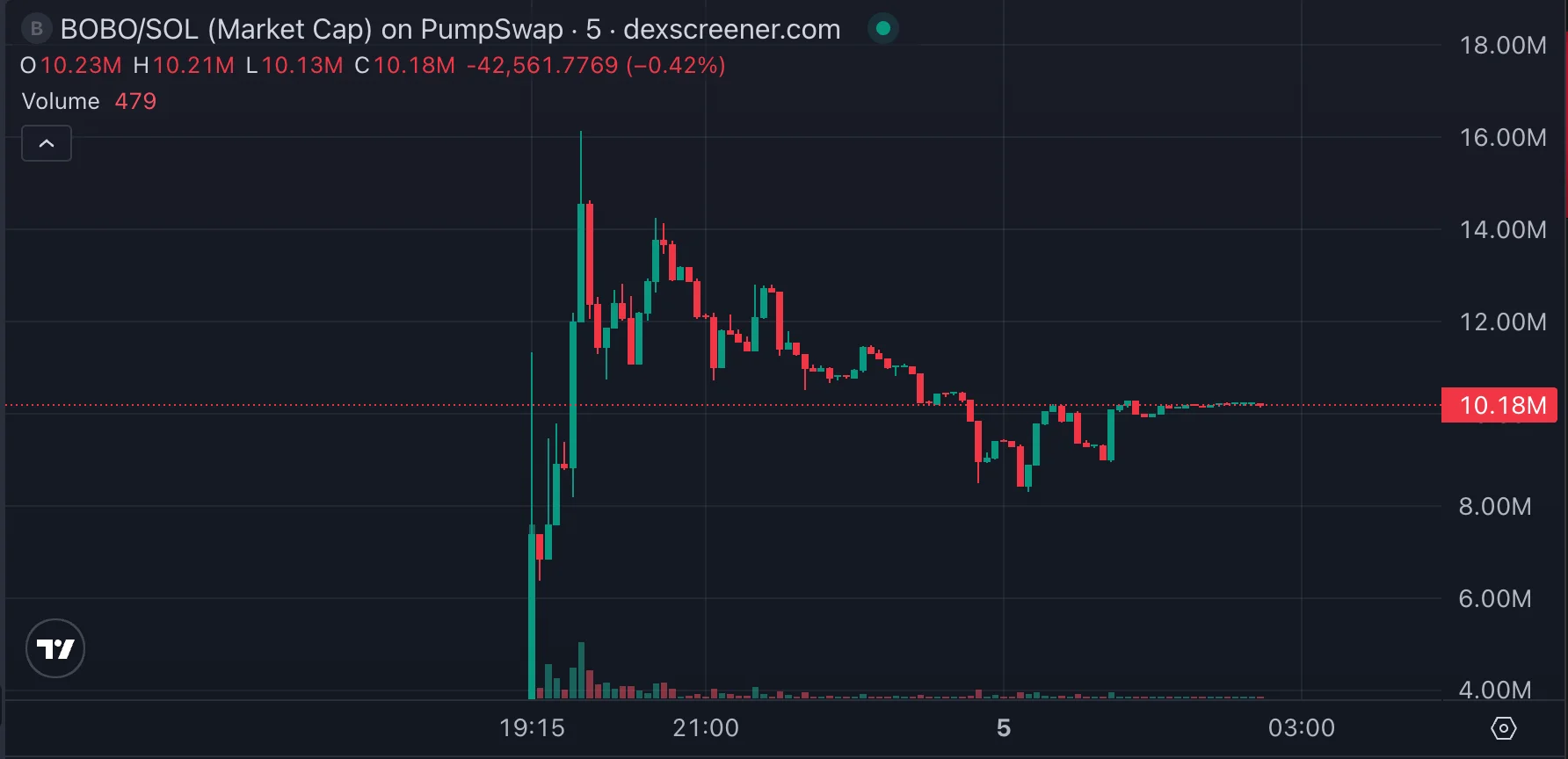
Rough framework (full math in the liquidity sizing guide):
| Launch type | SOL to seed | What it buys you |
|---|---|---|
| Test / friends only | 1–3 SOL | A functioning chart, nothing more |
| Small community launch | 5–15 SOL | Small buys don't spike the price |
| Public launch with marketing | 20–50 SOL | Survives real volume without breaking |
The exact number depends on your supply and your audience, so run the slippage math before you pick. But know this: there is no viable launch under ~1 SOL of liquidity. A pool with $100 in it is a decoration, and everyone who looks at the chart can tell.
Step 2: Put Your Supply IN the Pool
This is the step almost every first-time creator gets wrong, and it kills trust faster than anything else on this list.
The instinct is to "keep" your tokens: seed the pool with a small slice of supply and hold the rest in your wallet, like inventory you'll sell later. Here is what that actually looks like to everyone else on-chain:
Top holder: one wallet, 97% of supply.
Every scanner, every rug-check tool (including ours) reads that as: one wallet can dump on every holder at any moment. It doesn't matter that you have no intention of dumping. Intent is not visible on-chain. Distribution is.
For a memecoin, the standard is simple: effectively all of the supply goes into the pool at launch. Buyers acquire tokens from the pool by trading against it. That is what makes the distribution honest. Nobody, including you, holds a pre-mined bag that dwarfs the market.
What NOT to do:
- ❌ Seed 5% of supply into the pool and hold 95% "for later". That reads as a dump signal, not a treasury.
- ❌ Split the 95% across a few of your own wallets. Bubble-map tools cluster them in seconds, and it looks worse than one wallet, not better.
- ❌ Plan to "add the rest gradually". Every later deposit from your wallet looks like founder distribution onto buyers.
The legitimate exception is a disclosed team or treasury allocation with a published vesting plan, and that is utility-token territory, not memecoins. If you're not publishing a vesting schedule, the tokens belong in the pool.
Skip the math. Claim your free slot.
Lock the platform fee to your wallet for your first launch. Network fees still apply (~0.02 SOL).
Claim Free SlotStep 3: Lock the LP Permanently
Pool created, supply inside, real SOL paired. Right now you hold the LP position, which means you can pull the liquidity back out at any time. And on-chain, "the creator can rug" and "the creator will rug" get priced the same: buyers assume the worst, because the buyers who didn't are no longer with us.
Locking the LP removes that power, verifiably:
- What locking is and why buyers demand it: What Is Liquidity Locking?
- Permanent vs. time-locked: time locks expire, and the expiry date becomes a countdown everyone trades around. For memecoins, permanent wins.
- Lock 100%, not 80%: a partial lock leaves an unlocked slice that reads as your dump bag.
On SolFoundry the lock is part of the same flow. The Liquidity Lock step creates the Meteora pool and permanently locks the LP in one pass, and anyone can verify the lock on-chain.
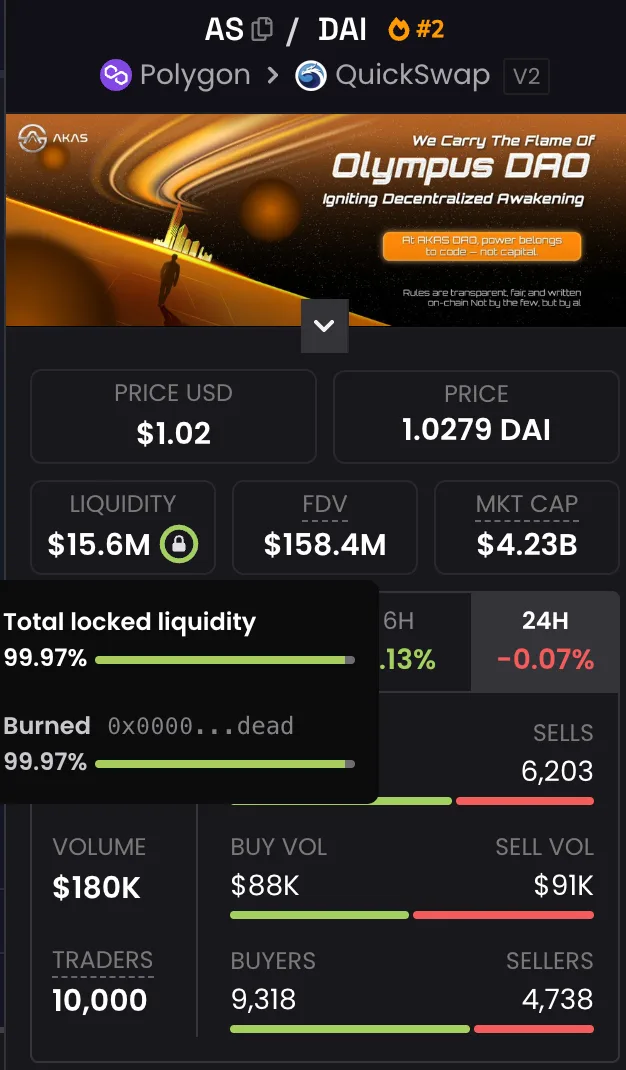
That green lock on DexScreener is what buyers scan for before anything else. It separates a chart people watch from a chart people enter.
One catch worth knowing even if you lock elsewhere: liquidity you add later is NOT covered by the earlier lock. New deposits are withdrawable by default, and watchers on-chain will spot the unlocked portion. If you top up the pool, lock the top-up too.
Step 4: Rug-Check Your Own Token
You will not be the last person to scan your token. Every serious buyer runs it through a checker before putting in a single SOL, so run it first and see exactly what they'll see.
Paste your mint into a free rug check and read it like a buyer:
| Check | What "good" looks like |
|---|---|
| Mint authority | Revoked, so supply can't be inflated |
| Freeze authority | Revoked, so wallets can't be frozen |
| Metadata | Locked, so name/logo can't be swapped |
| LP status | Locked, verifiably, ideally permanent |
| Top holders | No single wallet dominating; supply lives in the pool |
If you followed steps 1–3, this table is green. If you skipped step 2, the holder-distribution section will show exactly the concentration flag described above, and that flag is what your buyers will screenshot into your Telegram.
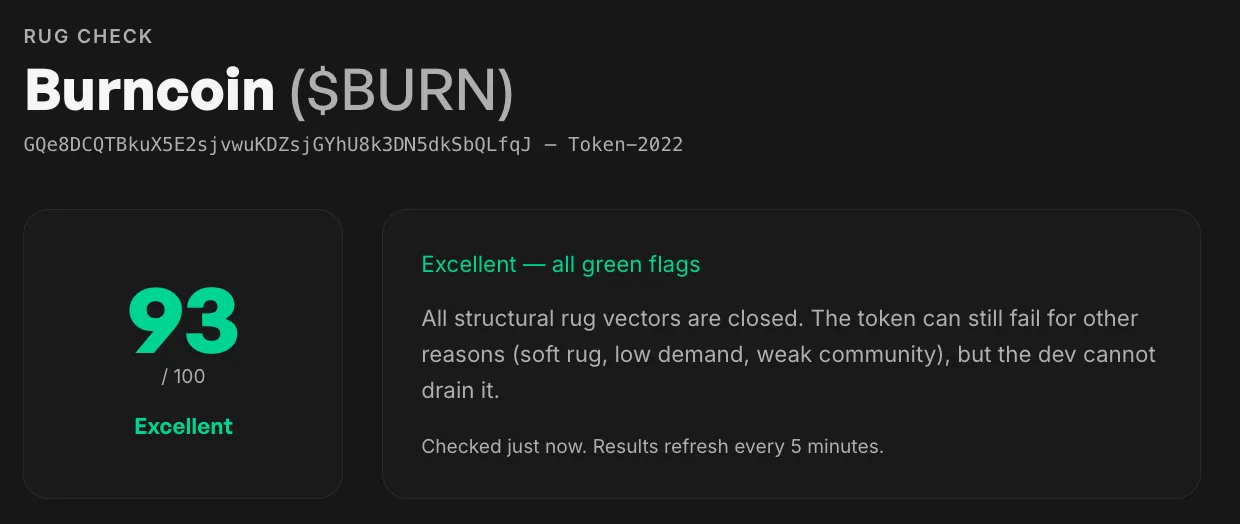
A clean scan is also your best marketing asset, because it's proof anyone can re-run. Share the scan link instead of saying "trust me". Buyers who want to go deeper will anyway; here's what they're taught to look for.
Step 5: Survive the First Hour
The first hour is where snipers, bots, and thin liquidity interact. Three things worth doing:
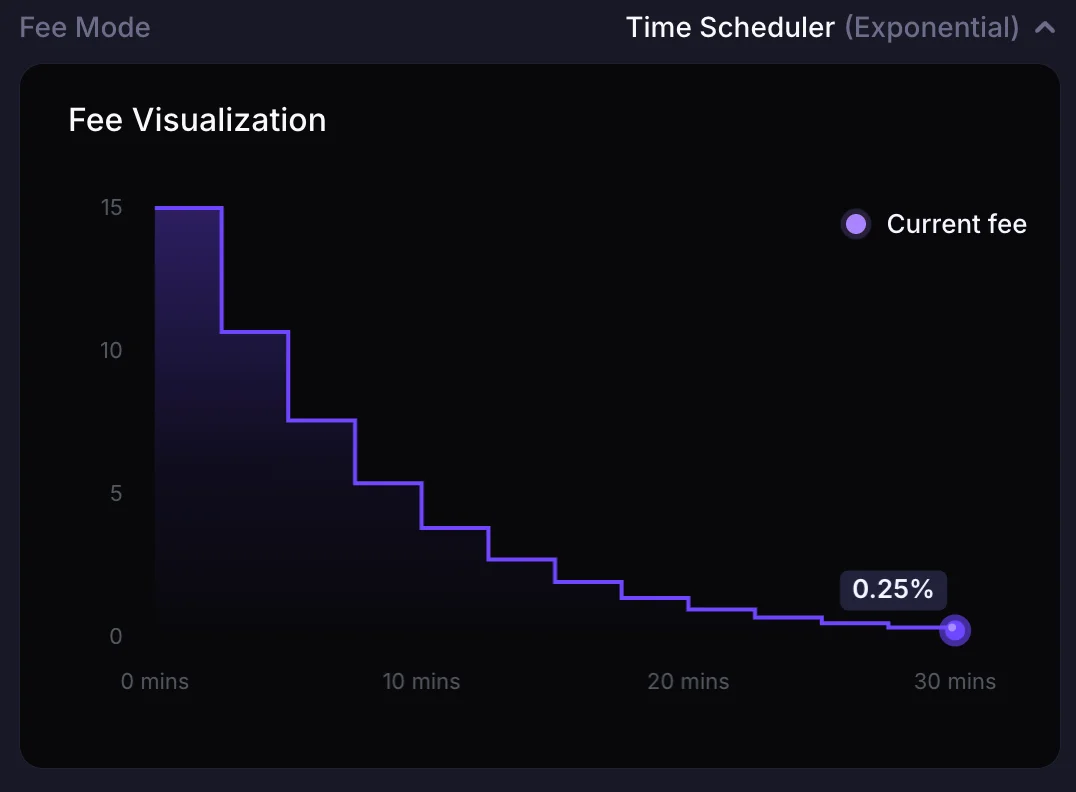
1. Anti-sniper protection. Sniping bots buy in the same block the pool goes live and dump on your first real buyers. A decaying-fee launch makes block-one sniping unprofitable (here's how it works). SolFoundry pools ship with this by default.
2. Announce AFTER the lock, not before. The order matters: pool, lock, verify, announce. An announcement that goes out before the lock confirms invites everyone to check and find an unlocked pool. Give your community the mint address, the chart link, and the lock proof in one message.
3. Don't panic-touch the pool. Early charts on small pools are violent. A handful of buys and sells can swing price ±50%, and that's just the constant-product math doing its thing. Creators who react by adding or removing liquidity mid-hour create exactly the on-chain noise that scanners and traders read as manipulation.
For the fuller pre- and post-launch sequence, the launch checklist covers the marketing and community side in depth.
The 10-Minute Post-Launch Checklist
The whole guide, compressed:
- Pool created on a real DEX (Meteora / Raydium / via SolFoundry)
- Seeded with a defensible amount of SOL, not pocket change
- Supply is IN the pool; no wallet holds a dominant unlocked bag
- LP locked, permanently, 100%
- Rug check run on your own mint, all green
- Announcement sent with mint + chart + lock proof, after the lock
- Hands off the pool for the first hours
FAQ
I launched my token but nobody can buy it. Why? Almost certainly there is no liquidity pool yet, or the pool is too small for aggregators to index. A token without a pool has no market. Create and seed one (Step 1), and trackers like DexScreener and Jupiter will pick it up within minutes.
How much of my token supply should go into the liquidity pool? For memecoins: effectively all of it. Supply held back in the creator's wallet shows up as holder concentration on every scanner and reads as a future dump. The exception is a publicly disclosed, vested team allocation. If you're not publishing a vesting schedule, pool it.
Can I add liquidity in stages after launch? You can, but two caveats: later deposits are not covered by your original lock (lock them separately), and repeated transfers from your wallet into the market look like founder selling. One properly sized, fully locked seed beats a drip-feed.
Do I need to lock liquidity if I'm obviously not going to rug? Yes. Buyers can't see intentions, only on-chain state, and unlocked LP gets priced at the worst case by default. A permanent lock converts "trust me" into "verify it", which is the only currency that works with strangers.
What's the very first thing to do after the mint confirms? Create and seed the pool. Every other step (locking, scanning, announcing) depends on the pool existing. Until then your token is an entry in a database, not an asset anyone can buy.
Keep reading
How to Add Liquidity to a Solana Token: How Much SOL? (2026)
How to add liquidity to your Solana token and exactly how much SOL to seed the pool with. Real numbers by community size, slippage math, and what too little or too much actually does.
Permanent Liquidity Lock vs Time Lock on Solana (2026)
Permanent vs time-locked liquidity on Solana: how each works, who uses them, and which one buyers actually trust. Honest 2026 comparison.
How to Launch a Solana Token with Any Wallet (2026 Guide)
Launch a Solana token with any wallet: Phantom, Solflare, Backpack, or OKX. Step-by-step 2026 guide with anti-sniper protection and locked liquidity.