How to Launch a Solana Token with Any Wallet (2026 Guide)
Launch a Solana token with any wallet: Phantom, Solflare, Backpack, or OKX. Step-by-step 2026 guide with anti-sniper protection and locked liquidity.
Most "how to launch a token on Solana" guides assume you already have Phantom installed. That's a fair default, Phantom owns the largest share of Solana wallet installs, but it's also why creators using OKX Wallet, Backpack, or Solflare get stuck halfway through a launchpad flow.
In May 2026 we added Backpack and OKX Wallet support to SolFoundry, joining the Phantom and Solflare integrations we've shipped since day one. Four wallets, one launch flow, no preferred vendor. This guide walks through how to launch a Solana token using whichever wallet you already have, plus the practical differences between them so you can pick the one that fits your setup.
Why Wallet Choice Matters for Token Creators
Wallet support sounds like a checkbox feature until you're the creator stuck on a launchpad that doesn't talk to your wallet. Then it becomes the only feature that matters. A few reasons creator setups diverge:
- Geographic distribution. OKX Wallet has a strong install base in Asia and SEA where the OKX exchange dominates. Phantom skews toward US/EU users. Forcing OKX users to install Phantom just to launch a token is friction the creator didn't sign up for.
- Security model. Hardware wallet support varies. Phantom and Solflare both pair with Ledger; some newer wallets don't yet.
- Mobile vs desktop. Some creators do the entire flow from a phone (Solflare and Phantom mobile are strong). Others launch from a desktop browser only.
- Ecosystem lock-in. Mad Lads holders, OKX exchange users, and Solana-native power users each tend to centralize on a different wallet. A launchpad that only supports one of these is effectively gatekeeping the others.
When a launchpad forces a single wallet, the creator either swaps wallets (annoying, sometimes risky) or abandons the launch entirely. The second outcome is the silent killer most launchpads ignore in their funnel data.
The 4 Wallets SolFoundry Supports
Each wallet has real strengths and real tradeoffs. Honest summary:
| Wallet | Best for | Solana-native | Hardware support | Install base (Solana) |
|---|---|---|---|---|
| Phantom | First-time creators, broad compatibility | Yes | Ledger | Largest |
| Solflare | Solana power users, mobile launches | Yes | Ledger | Large |
| Backpack | Mad Lads ecosystem, gaming-native UX | Yes | Ledger | Growing |
| OKX Wallet | OKX exchange users, Asia/SEA creators | No (multichain) | Limited | Growing |
Phantom
The default Solana wallet for most creators. Phantom has the largest install base, the most mature dApp ecosystem, and full Ledger hardware wallet support.
Strengths: broadest dApp compatibility, mobile + browser extension, strong UX for first-time users, Phantom Blowfish anti-scam scanner.
Tradeoff: Phantom Blowfish sometimes flags new launchpad URLs as "blocked dApp" until enough usage builds trust history. This is a Phantom-side warning, not a SolFoundry issue, you click "Proceed" to continue. We added a preflight dialog that warns you before the prompt appears so you know what to expect.
Solflare
The longest-running non-Phantom Solana wallet. Solana-native from the start, strong mobile app, and the only wallet besides Phantom with mature Ledger support across both extension and mobile.
Strengths: Solana-native team, robust mobile experience, broad dApp compatibility, simple staking.
Tradeoff: smaller install base than Phantom, so fewer users have it pre-installed. If your audience is mostly first-time Solana users, expect some install friction.
Backpack
The wallet built around the Mad Lads NFT ecosystem and the xNFT framework. Modern UX, fast onboarding, and growing fast among Solana-native power users.
Strengths: clean modern interface, xNFT support (Solana apps inside the wallet), growing creator base, multichain support including Solana, Ethereum, and Bitcoin.
Tradeoff: install base still smaller than Phantom or Solflare, less established hardware wallet flow. Backpack also classifies user cancellation as "Plugin Closed", which can look like an error message but is actually you closing the prompt, not a bug. We classify it correctly on our side and don't show a destructive error for it.
OKX Wallet
The wallet behind the OKX exchange. Strong in Asia (KR, CN, SEA, JP) where the exchange dominates retail crypto activity. Multichain by design.
Strengths: massive install base in Asia tied to OKX exchange usage, multichain (Solana, Ethereum, Polygon, BTC, more), familiar for users who already custody on OKX.
Tradeoff: not Solana-native, so some Solana-specific UX patterns differ slightly from Phantom. First-time users need to confirm Solana is the active account in the wallet header before connecting.
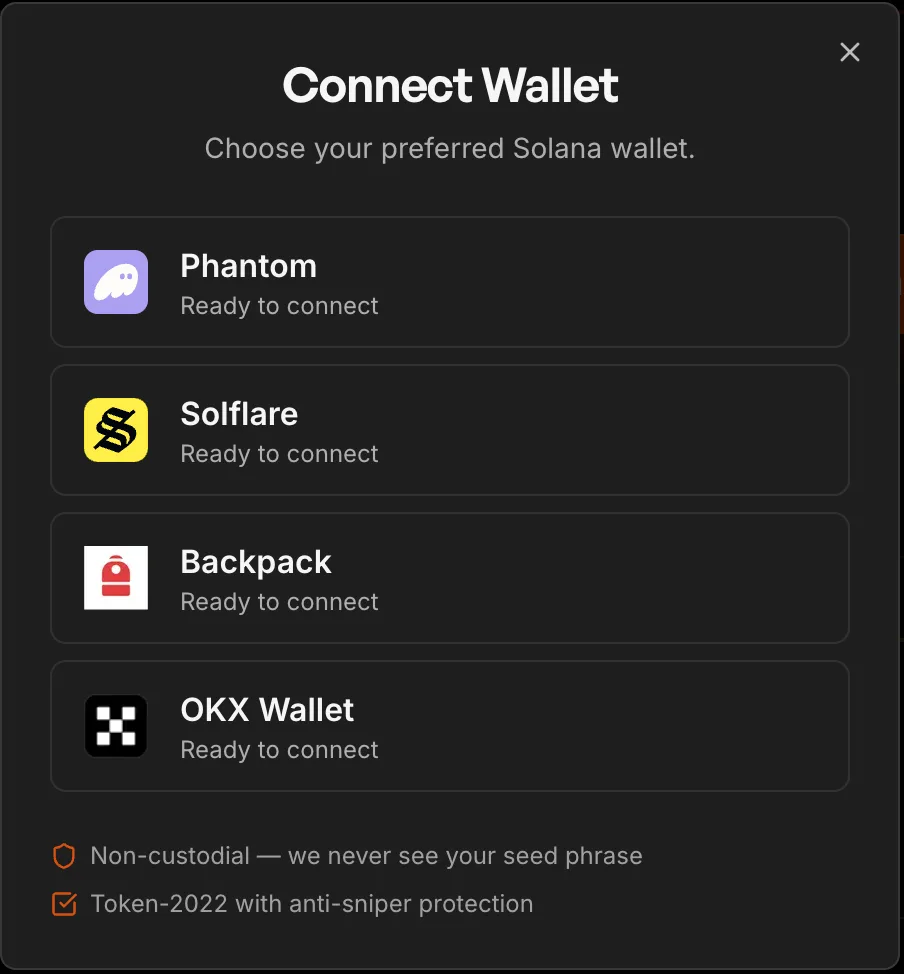
Where to confirm wallet support: the Connect Wallet modal on SolFoundry lists all four out of the box. Detected wallets show "Ready to connect" first; not-yet-installed wallets show an "Install" link to the official extension page.
How to Launch a Solana Token Step-by-Step
The launch flow on SolFoundry is wallet-agnostic. The same five steps work regardless of which of the four wallets you pick. As of our 2026-05-15 update, you no longer need to connect a wallet upfront, connection is deferred until you actually need to sign the launch transaction.
- Open the launch flow. Go to solfoundry.io/launch. No wallet connection required to start.
- Pick Quick or Advanced. Quick is one-screen, defaults sensible for most memecoin and community launches. Advanced exposes every authority and pool parameter, use it if you have specific requirements.
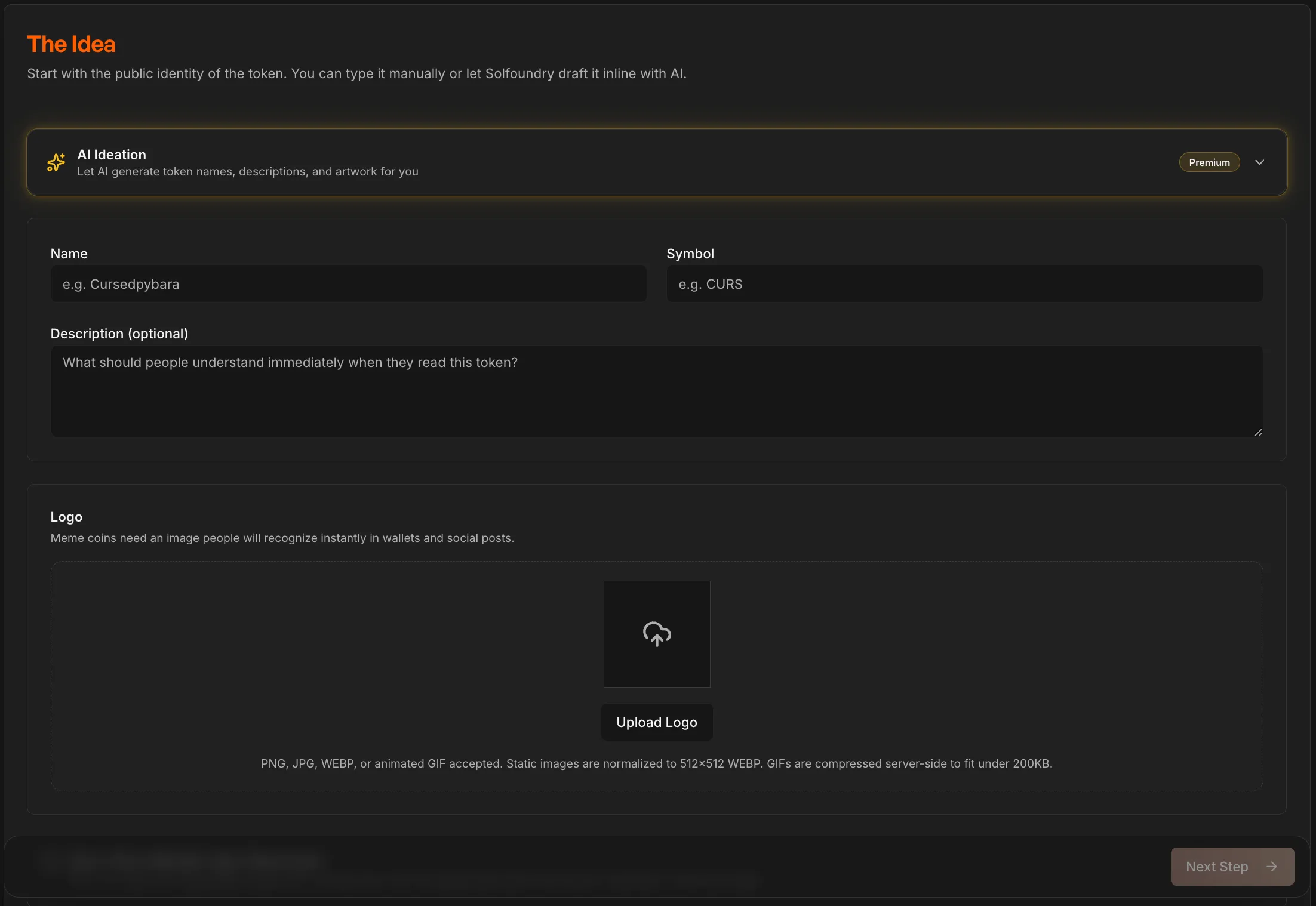
- Fill in token identity. Name, symbol, supply, decimals, description, image. The defaults follow the token launch checklist so you don't have to remember every authority to revoke.
- Set up liquidity and anti-sniper. Choose how much SOL to pair, what percentage of supply to put into the pool, and which anti-sniper preset (Light / Standard / Aggressive) to apply. The pool is created on Meteora DAMM v2 with permanent liquidity locking by default.
- Connect your wallet and sign. Now the wallet modal opens. Pick Phantom, Solflare, Backpack, or OKX Wallet. Sign the transaction. The token mints, the pool is created, the LP is locked, all in one atomic transaction.
If any step fails, the entire transaction reverts. Your SOL and token authority stay safe in your wallet. There's no half-launched state to clean up.
What Happens After Launch
Once the launch transaction confirms, several things happen automatically:
- Liquidity is permanently locked on Meteora DAMM v2. The LP cannot be withdrawn, ever. Buyers see this as a green lock on DexScreener.
- The token is immediately tradeable on Jupiter, Meteora, and every Solana DEX aggregator. No further deployment needed.
- You receive a position NFT in your wallet. This is your proof of locked liquidity and your fee-claim receipt. Trading fees from the pool accrue to this NFT and you can claim them anytime from the "Your Tokens" page.
- Anti-sniper kicks in if you enabled it. The pool starts with high trading fees that decay exponentially over the configured window (15, 30, or 60 minutes). Snipers who buy in the first seconds pay punishing fees that flow back to your liquidity. Regular buyers who wait pay normal fees.
For the full mechanics of permanent locking and anti-sniper protection, see what is locked liquidity and how to protect your token from snipers.
Common Wallet Issues and Fixes
| Issue | Wallet | Fix |
|---|---|---|
| "Blocked dApp" warning | Phantom | Phantom's Blowfish flags new launchpads until trust builds. Click "Proceed". Our preflight dialog warns you first. |
| "Plugin Closed" message | Backpack | User cancellation, not an error. Re-open the wallet and retry. |
| Wallet shows wrong chain | OKX Wallet | Toggle the chain header to Solana before connecting. Multichain wallets sometimes default to ETH. |
| Transaction stalled | Any | Bump priority fee. Solana fee market can spike during memecoin waves. |
| Connection prompt doesn't open | Any | Disable other wallet extensions temporarily. Multiple wallet extensions can race for the connection request. |
If your wallet shows a warning we haven't documented, drop into our Telegram support channel and we'll help triage.
FAQ
Can I launch with a hardware wallet? Yes. Phantom and Solflare both support Ledger. Backpack supports Ledger on extension. OKX Wallet hardware support is limited, check current OKX docs before relying on it for a launch.
Does SolFoundry charge more if I use Backpack or OKX Wallet? No. The fee structure is identical across all four wallets. The platform fee and Solana network rent are the same regardless of which wallet signs the transaction.
Which wallet has the lowest transaction cost? All four submit transactions to Solana with the same network rent and priority fees. There is no wallet-specific discount or surcharge. Cost differences only show up if a wallet sets a different default priority fee, which you can override before signing.
Why did SolFoundry add Backpack and OKX Wallet in May 2026? Demand. Enough creators using Backpack and OKX Wallet were hitting the connect-wallet step and not finding their wallet. Adding both was a one-week project that immediately removed that friction.
Will SolFoundry add more wallets? We add wallets when there's clear creator demand. If your wallet of choice isn't listed, vote for it in our Telegram community and we'll track interest. We dropped Magic Eden Wallet recently because Magic Eden is shutting down their wallet product, so we follow market signals both ways.
Can I switch wallets mid-launch? You can reload the page and reconnect with a different wallet at any step before signing. After signing, the launch is on-chain and the wallet that signed is the recorded creator. Switching wallets after launch means re-launching with a new wallet, not transferring the existing token.
Related guides
- Solana token launch checklist 2026, every authority to revoke and trust signal to set before going live
- How to create a Solana token without coding, end-to-end walkthrough of the no-code launch flow
- Solana memecoin launch guide 2026, the full memecoin-focused playbook
- Pump.fun alternatives 2026: 5 Solana launchpads compared, how SolFoundry stacks up against the rest of the market
- What is locked liquidity?, why every legit Solana token launch needs it
Ready to launch? Head to solfoundry.io/launch and connect any of the four wallets. The launch flow is the same regardless of which one you pick.
Keep reading
What to Do After Launching a Solana Token: 5 Steps (2026)
Minted your Solana token, now what? 5 post-launch steps: seed real liquidity, put supply in the pool, lock the LP, run a rug check, survive hour one.
How to Add Liquidity to a Solana Token: How Much SOL? (2026)
How to add liquidity to your Solana token and exactly how much SOL to seed the pool with. Real numbers by community size, slippage math, and what too little or too much actually does.
Solana Token Launch Checklist (2026): 12 Steps Before You Click Launch
The full Solana token launch checklist for 2026. 12 steps covering tokenomics, liquidity, anti-sniper, post-launch monitoring. Free, with on-chain verification links.