How to Generate Solana Token Ideas With AI and Artwork
Generate Solana token ideas with AI: get 3 names, tickers, descriptions, and artworks, then carry your favorite directly into the SolFoundry launchpad.
The Blank Page Was the Slowest Step
Launching a token is mostly a sequence of decisions. The first one is often the hardest: what should the token actually be?
A name without a visual identity feels unfinished. A ticker that does not match the name is hard to remember. Generic artwork can make a good concept look interchangeable with every other launch. By the time those pieces finally agree, the creator has usually copied prompts between several tools and lost the original thread.
So we built the SolFoundry Token Idea Generator: one place to generate Solana token ideas with AI and turn a style or theme into three complete concepts. Each concept includes:
- A token name
- A ticker
- A short description
- Original square artwork
Choose the strongest option and it carries directly into the SolFoundry launch flow. No copying names between tabs, downloading an image just to upload it again, or rebuilding the same idea from scratch.
What the Generator Produces
Each AI Pass returns one batch of three deliberately different concepts. The generator is not just making a list of names and attaching random images afterward. It drafts the name, ticker, positioning, and artwork prompt as one unit so the pieces have a reason to belong together.
| Part | What you receive | What to review |
|---|---|---|
| Name | A memorable concept built around the selected style | Pronunciation, existing projects, and brand conflicts |
| Ticker | A short symbol derived from the concept | Search collisions and readability |
| Description | A launch-ready one-paragraph pitch | Tone, factual claims, and community fit |
| Artwork | One AI-generated square image per concept | Visual details, accidental text, and brand references |
The useful output is not three isolated names. It is three comparable creative directions. Seeing the name, ticker, pitch, and image together makes it much easier to judge which concept can carry a launch.
This matters because cohesion is usually the difference between an idea that looks finished and one that still feels like a draft. If the name says one thing while the artwork says another, the creator has not saved time. They have only moved the blank page further down the workflow.
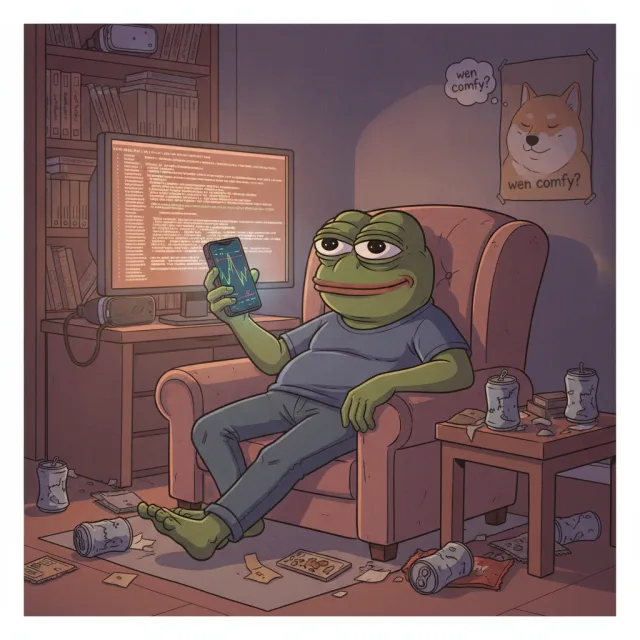
Eight Ways to Start
You do not need a finished prompt. Pick a style and let the generator establish the creative direction:
- Degen Meme for Wojaks, crypto slang, chart culture, and terminal-online energy
- Animal Mascot for recognizable characters beyond the usual dog, cat, and frog rotation
- Brainrot Slang for absurd animal-object hybrids and deliberately chaotic naming
- PolitiFi Parody for campaign satire and exaggerated public personas
- Cult Coin for community identity, slogans, and movement energy
- AI Agent Satire for rogue bots, fake AGI, and autonomous goblin behavior
- Absurdist Chaos for cursed objects, anti-logic humor, and surreal confidence
- Mythic Creature for dragons, kitsune, krakens, phoenixes, and folklore with a token twist
You can also add a theme in plain language. Something as small as “a capybara calmly trading through a market crash” gives the batch a subject while the preset supplies the style. If you leave the prompt blank, the generator can surprise you.
The preset is not a commitment. It is a useful constraint. Good creative tools reduce the size of the blank page before asking you to make a decision.
How the Token Idea Generator Works
1. Connect a Solana Wallet
The wallet identifies the generation and authorizes the AI Pass. SolFoundry never asks for a seed phrase. The 0.10 SOL payment is a normal wallet transaction that you can review before approving.
2. Choose a Style and Optional Theme
Select one of the eight presets, then add a sentence, keywords, or nothing at all. The prompt is a direction, not a form you have to perfect.
3. Generate One Batch
One AI Pass costs 0.10 SOL and grants one generation. That generation returns three concepts and three artworks. The ideas arrive first; artwork continues in the background, and the progress indicator follows the generation if you navigate elsewhere on SolFoundry.
The pass and its generated batch remain recoverable for three days. If you refresh or move between Token Ideas and Launch while artwork is still rendering, both pages follow the same generation instead of starting a competing one.
4. Compare the Concepts
Read the name, ticker, and description before choosing based on the image alone. Download any artwork you want to keep. If one artwork misses while the rest of the batch succeeds, you can retry that image without regenerating all three ideas.
5. Launch the Selected Idea
Click Launch a Token with This Idea and the selected name, ticker, description, and artwork move into the SolFoundry launchpad. You can still review the configuration before signing anything on-chain.
Why Three Options Instead of One Automatic Launch?
AI-first launchers such as Mintovo and MintCraft also turn a short prompt into token identity and artwork. The category is moving toward fewer forms and a tighter connection between idea and mint.
SolFoundry deliberately pauses before the on-chain step. It gives you three comparable directions, lets you inspect or retry individual artworks, and carries only the concept you select into Launch. Supply, distribution, authority settings, and liquidity remain visible decisions. The AI helps with the creative bottleneck without quietly becoming the launch strategy.
Turn a rough theme into a launch-ready token concept
Generate names, tickers, descriptions, and matching artwork in one batch. Choose your favorite and continue without rebuilding it.
Generate Token IdeasWhere It Helps Most
You Have a Theme but No Identity
You know the community or joke you want to build around, but not the name, ticker, or visual language. A short theme gives the generator enough context to propose three distinct executions.
You Have a Name but Nothing Around It
Put the name or core phrase in the prompt. The generator can explore descriptions and visual directions around it. You still need to verify the ticker and make sure another established token does not already own the search results.
Your First Idea Is Too Obvious
The first idea in a category is often the same one everyone else reaches. Three alternatives make comparison possible. Even if you keep the original concept, seeing other directions clarifies why it is stronger.
You Need Artwork That Matches the Pitch
The artwork is generated from the same concept as the name and description. It is not selected from a stock library. That makes it useful for finding a coherent direction before launch, while still leaving you responsible for reviewing the final image.
What the Generator Does Not Decide
The tool creates a concept, not a complete launch strategy. It does not decide:
- Total supply or token distribution
- How much liquidity to seed
- Authority and metadata settings
- Whether a name or ticker is unused
- Whether a joke, likeness, or brand reference is legally safe
- Whether the market will care
Solana does not reserve names or tickers. An AI-generated symbol can already belong to a larger token, and technical availability does not prevent search confusion or impersonation risk. Always run a collision check before launch.
Before launching, search the proposed name and ticker on major Solana explorers and DEX interfaces. Solana does not enforce unique names or symbols. Our guide to ticker squatting explains why a technically available ticker can still be a bad choice.
Then review the safety side of the launch: authorities, liquidity, holder distribution, and anti-sniper settings. The Solana token launch checklist covers those decisions, and the free Rug Check lets you inspect the on-chain result afterward.
A Better Way to Use AI for Token Ideas
The generator works best as a creative partner, not an oracle. A generic ChatGPT or Gemini conversation can produce a list of names, but the SolFoundry workflow is designed to keep the concept, visual direction, and launch handoff together:
- Start with a real constraint: a community, character, emotion, or visual scene.
- Compare the whole concept, not just the funniest name.
- Check whether the ticker is already associated with a larger token.
- Inspect artwork closely for unwanted text or visual artifacts.
- Download anything you want to keep before discarding a batch.
- Treat the selected concept as a draft until the final launch review.
If naming is the part you want to study more deeply, read how to name a memecoin that sticks. That guide covers naming patterns and collision checks. This tool handles the next step: turning the direction you choose into three complete visual concepts.
FAQ
What is an AI Solana token idea generator?
It is a tool that turns a prompt or style into complete token concepts for Solana. SolFoundry generates three options per run, each with a name, ticker, description, and AI-generated artwork.
How much does the SolFoundry Token Idea Generator cost?
One AI Pass costs 0.10 SOL. It grants one generation that returns a batch of three token concepts and three artworks. Normal Solana network fees may also apply to the payment transaction.
Do I need to write a prompt?
No. You can choose one of eight style presets and generate without adding text. A custom prompt is useful when you already have a character, theme, phrase, or visual scene in mind.
Can I launch directly from the generator?
Yes. Select an idea and choose Launch a Token with This Idea. SolFoundry transfers the concept into the launchpad, where you can review the token settings before signing the launch transactions.
Are Solana token names and tickers unique?
No. Solana allows multiple tokens to use the same display name or ticker. Search the name and symbol before launch, compare existing liquidity and age, and avoid a collision with a token that already owns the identity.
Start With the Idea
You do not need a polished creative brief to start. Pick a style, add the smallest useful constraint, and compare what comes back.
Open the SolFoundry Token Idea Generator to generate three concepts, then carry the strongest one into a launch when you are ready.
Keep reading
What to Do After Launching a Solana Token: 5 Steps (2026)
Minted your Solana token, now what? 5 post-launch steps: seed real liquidity, put supply in the pool, lock the LP, run a rug check, survive hour one.
How to Launch a Solana Token with Any Wallet (2026 Guide)
Launch a Solana token with any wallet: Phantom, Solflare, Backpack, or OKX. Step-by-step 2026 guide with anti-sniper protection and locked liquidity.
How to Add Liquidity to a Solana Token: How Much SOL? (2026)
How to add liquidity to your Solana token and exactly how much SOL to seed the pool with. Real numbers by community size, slippage math, and what too little or too much actually does.