How to Launch a Token on Solana in 5 Minutes (No Code, 2026 Guide)
How to launch a token on Solana step-by-step: locked liquidity, anti-sniper protection, immutable metadata. No coding, no CLI. Total cost around 0.2 SOL.
Why Solana for Token Launches?
Solana is the go-to blockchain for token launches in 2026. With sub-second finality, near-zero fees, and a thriving DeFi ecosystem, it offers everything a token creator needs. But until recently, launching a token required technical knowledge, CLI tools, and hours of configuration.
SolFoundry changes that. You can go from idea to live token with locked liquidity in under 5 minutes, no coding required.
What You Need
Before you start, make sure you have:
- A Solana wallet, Phantom or Solflare
- SOL for fees, approximately 0.5-1.5 SOL depending on your configuration
- A token concept, name, symbol, and description (or let the AI generate it for you)
Step 1: Connect Your Wallet
Head to solfoundry.io and connect your Phantom or Solflare wallet. No sign-up, no email, no KYC.
Step 2: Choose Your Launch Mode
SolFoundry offers two launch modes:
- Quick Launch (0.20 SOL), AI-assisted flow with smart defaults. Perfect for meme coins and fast launches.
- Advanced Launch (0.30 SOL), Full control over tokenomics, distribution, authority settings, and more.
Step 3: Configure Your Token
Fill in the basics:
- Name, your token's display name (max 32 characters)
- Symbol, the ticker (e.g., DOGE, PEPE, WIF)
- Total Supply, how many tokens to mint
- Description, a short pitch for your token
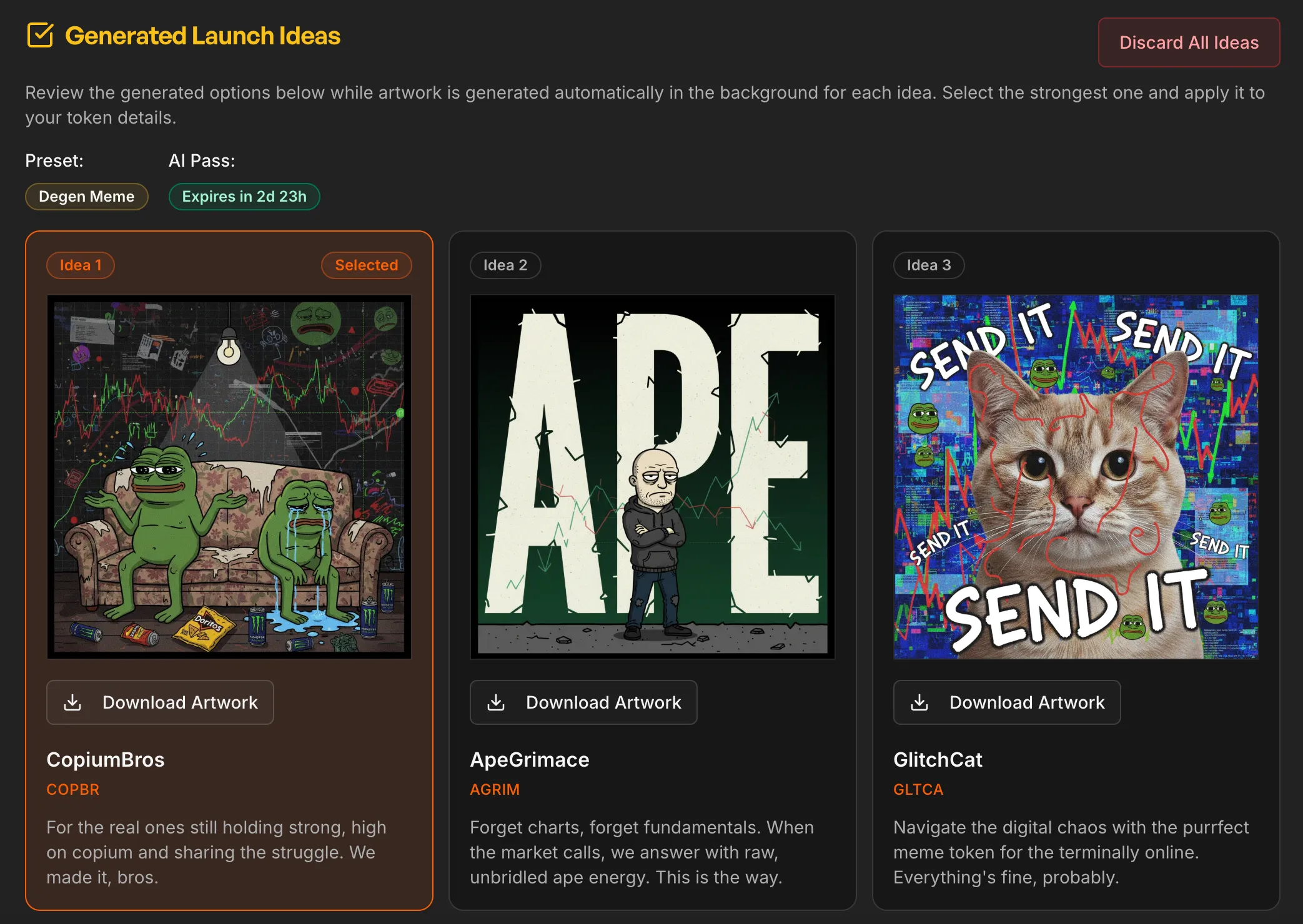
Pro tip: Use the AI ideation tool to generate 3 unique token concepts with custom artwork in seconds. Just pick a style (Degen Meme, Animal Mascot, PolitiFi, etc.) and hit generate.
Step 4: Choose Your Token Standard
SolFoundry supports two Solana token programs:
- Token-2022 (recommended), modern standard with on-chain metadata and support for future extensions like transfer fees
- Classic SPL, the original Solana token program with maximum compatibility
Step 5: Review and Launch
The review screen shows every cost upfront before you sign. No hidden fees. You'll see:
- Token creation fee
- Network fees
- Authority settings (mint revoke, freeze revoke, metadata lock)
- Distribution breakdown
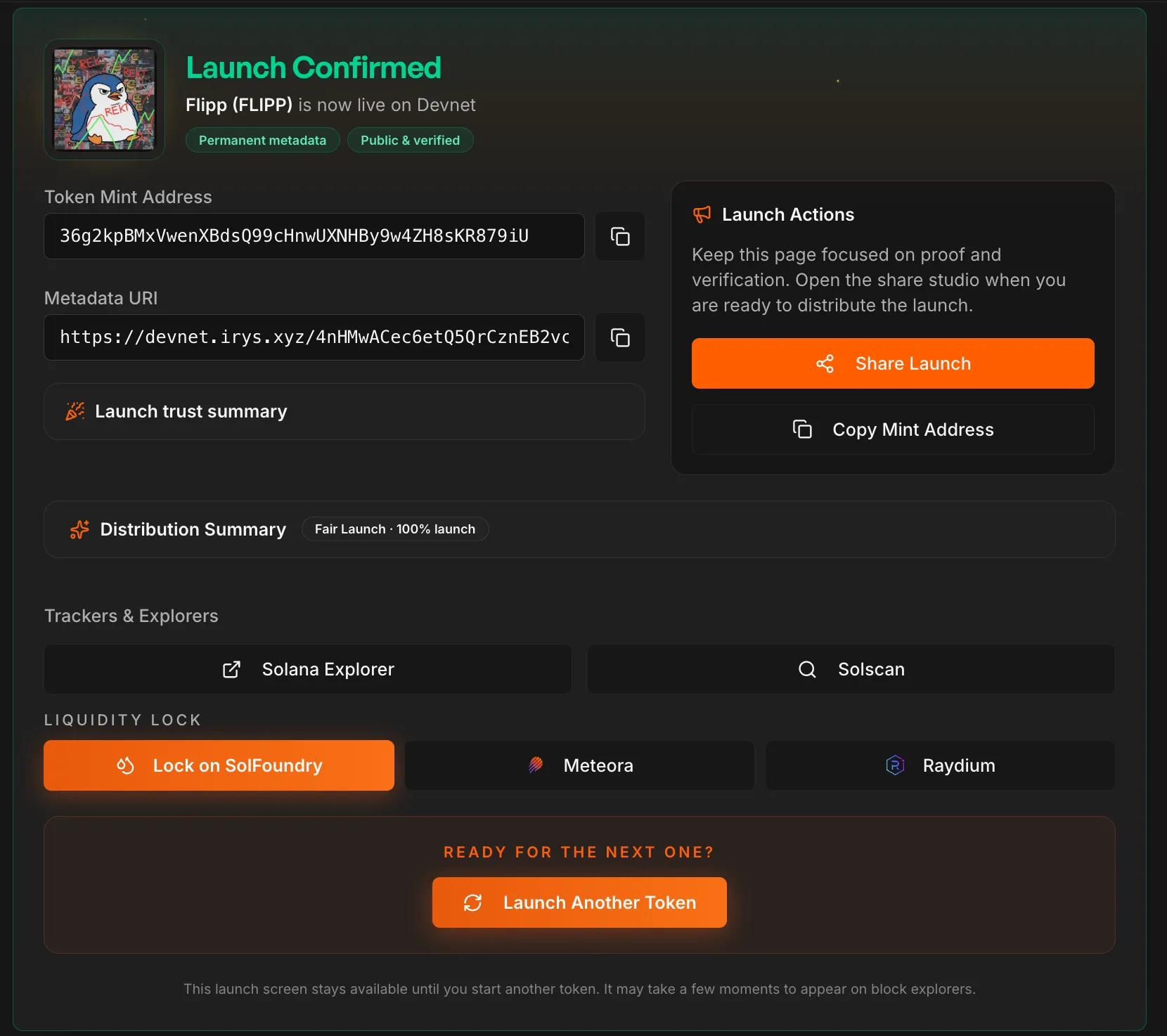
Sign the transaction in your wallet, and your token is live on Solana.
Step 6: Add Liquidity
After launch, head to the Liquidity Lock page to create a trading pool:
- Your token is auto-detected in the "Your Tokens" section
- Choose how much SOL to pair with your tokens
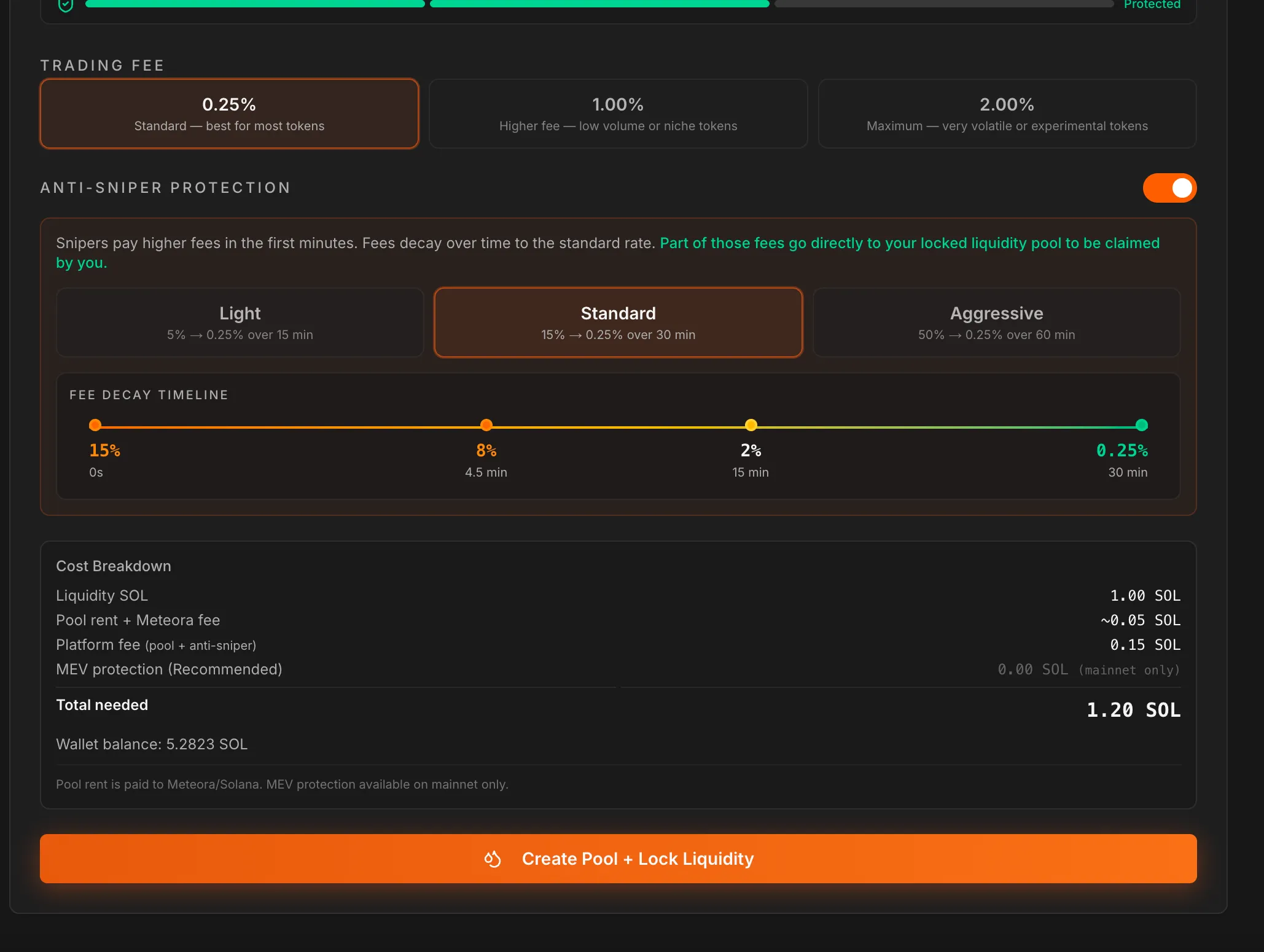
- Optionally enable Anti-Sniper Protection, exponential fee decay that deters bots
- Click "Create Pool + Lock Liquidity"
Your liquidity is permanently locked via Meteora DAMM v2. The lock is irreversible, the strongest trust signal for buyers. And you still earn and claim trading fees forever.
What About Snipers?
Sniper bots try to buy tokens in the first seconds of a pool going live, accumulating supply before regular buyers can participate.
SolFoundry's anti-sniper protection uses Meteora's fee time scheduler. When enabled, the pool starts with high trading fees (up to 50%) that decay exponentially over your chosen duration. Three presets are available:
| Preset | Starting Fee | Duration |
|---|---|---|
| Light | 5% | 15 minutes |
| Standard | 15% | 30 minutes |
| Aggressive | 50% | 60 minutes |
Part of the fees paid by snipers go directly to your locked liquidity pool, which you can claim anytime.
Costs Breakdown
| Item | Cost |
|---|---|
| Quick Launch | 0.20 SOL |
| Advanced Launch | 0.30 SOL |
| AI Ideation (optional) | 0.10 SOL |
| Solo Creator Attribution (optional) | 0.10 SOL |
| Liquidity Pool Creation | ~0.05 SOL (rent) |
| Anti-Sniper Protection | Free |
| Platform Fee (LP Lock) | Free for SolFoundry tokens |
FAQ
Do I need coding experience? No. SolFoundry handles all the on-chain complexity.
Is my token metadata permanent? Yes. The metadata update authority is revoked at creation. Name, symbol, and image can never be changed.
Can I test before paying? Yes. Switch to devnet in the app and launch test tokens for free.
Where can I trade my token? After creating a liquidity pool, your token is automatically tradeable on Jupiter, Meteora, and other Solana aggregators.
Ready to launch? Head to solfoundry.io and start building.
Keep reading
How to Create a Token on Solana Without Coding (2026)
Launch a Solana token with no code in under 10 minutes. Step-by-step guide for non-technical founders, with locked liquidity and anti-sniper protection built in.
Solana Token Launch Checklist (2026): 12 Steps Before You Click Launch
The full Solana token launch checklist for 2026. 12 steps covering tokenomics, liquidity, anti-sniper, post-launch monitoring. Free, with on-chain verification links.
What to Do After Launching a Solana Token: 5 Steps (2026)
Minted your Solana token, now what? 5 post-launch steps: seed real liquidity, put supply in the pool, lock the LP, run a rug check, survive hour one.